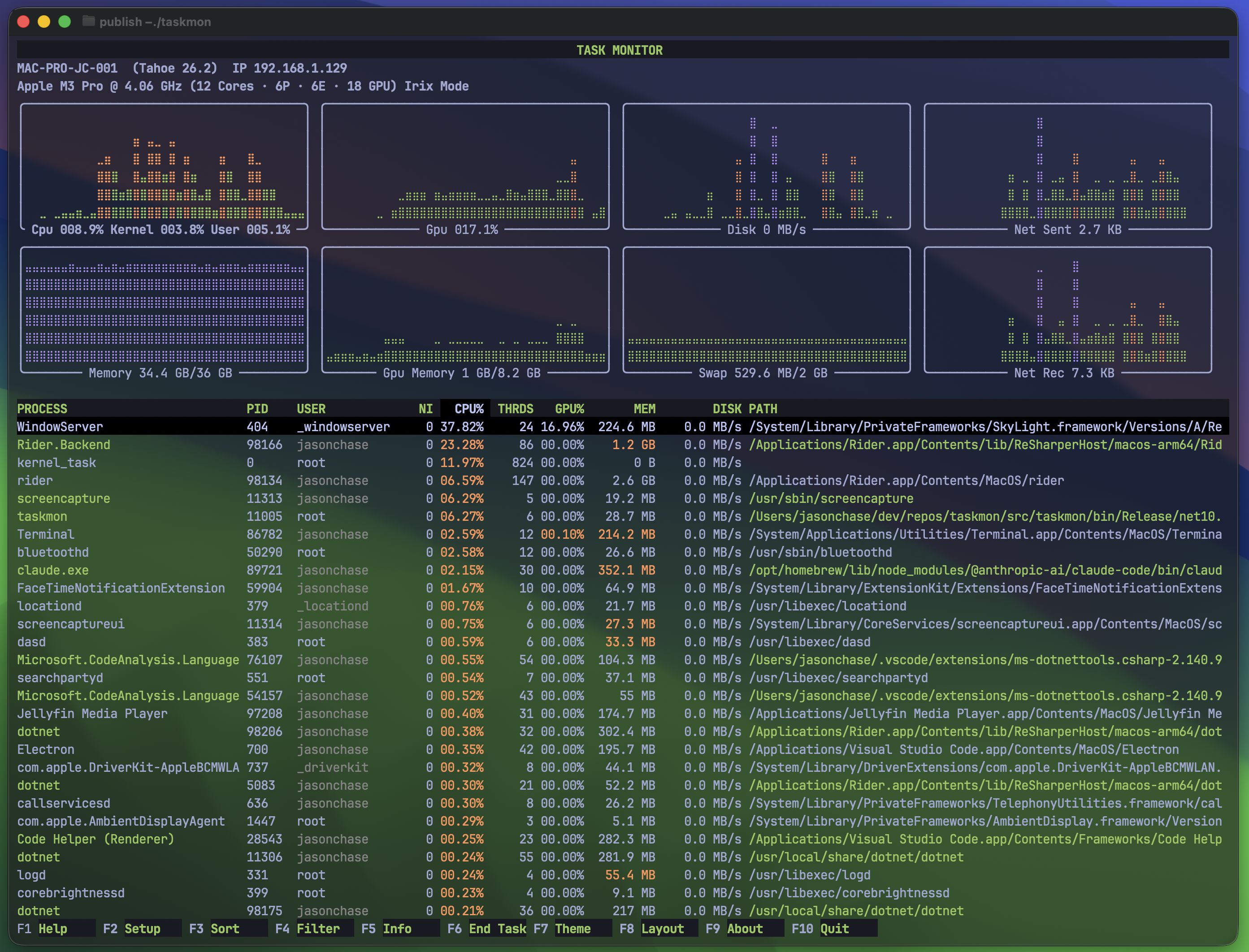
Main UI default to system charts and process view, with theme Tokyo Night.
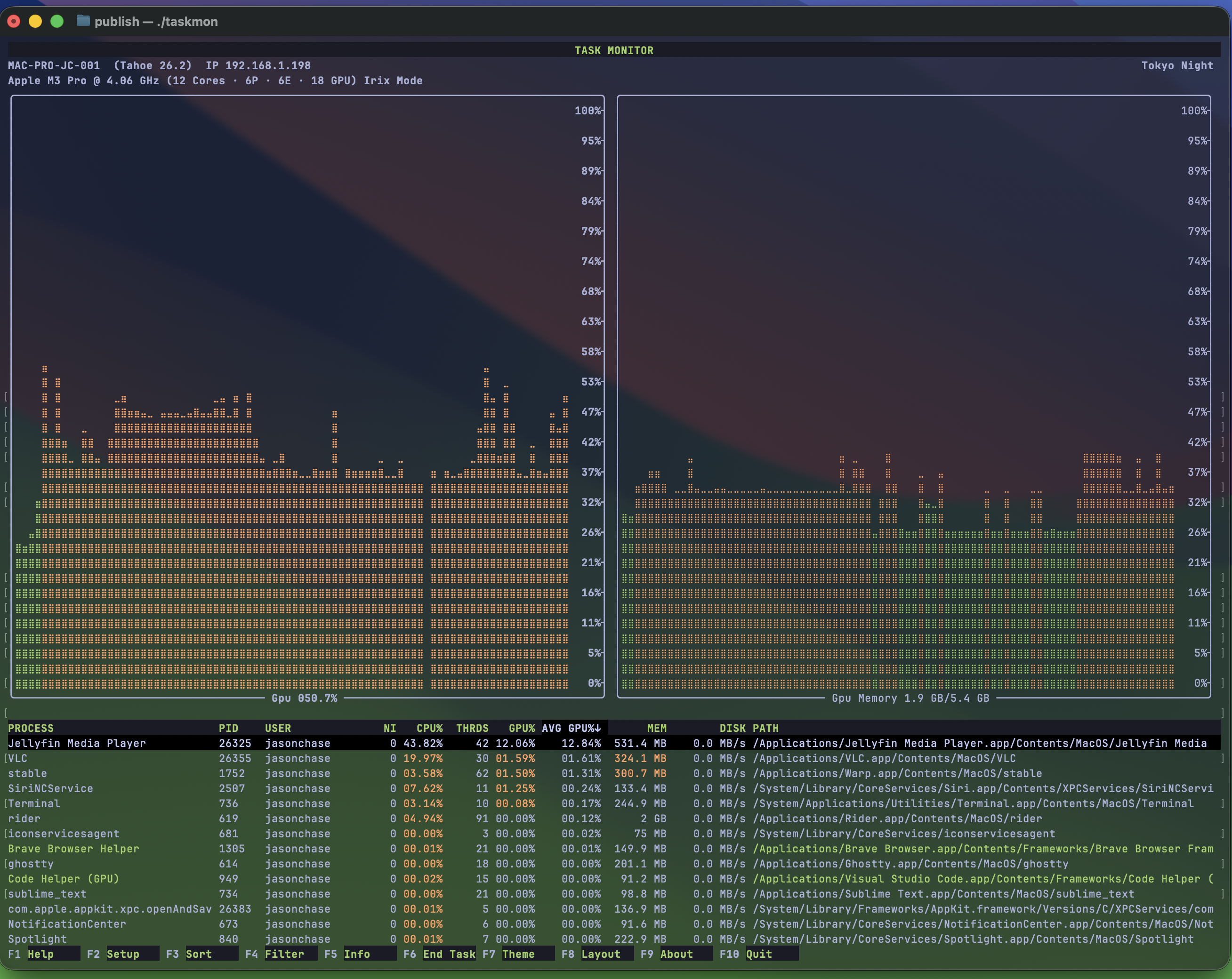
Main UI focused on GPU & Memory monitoring.
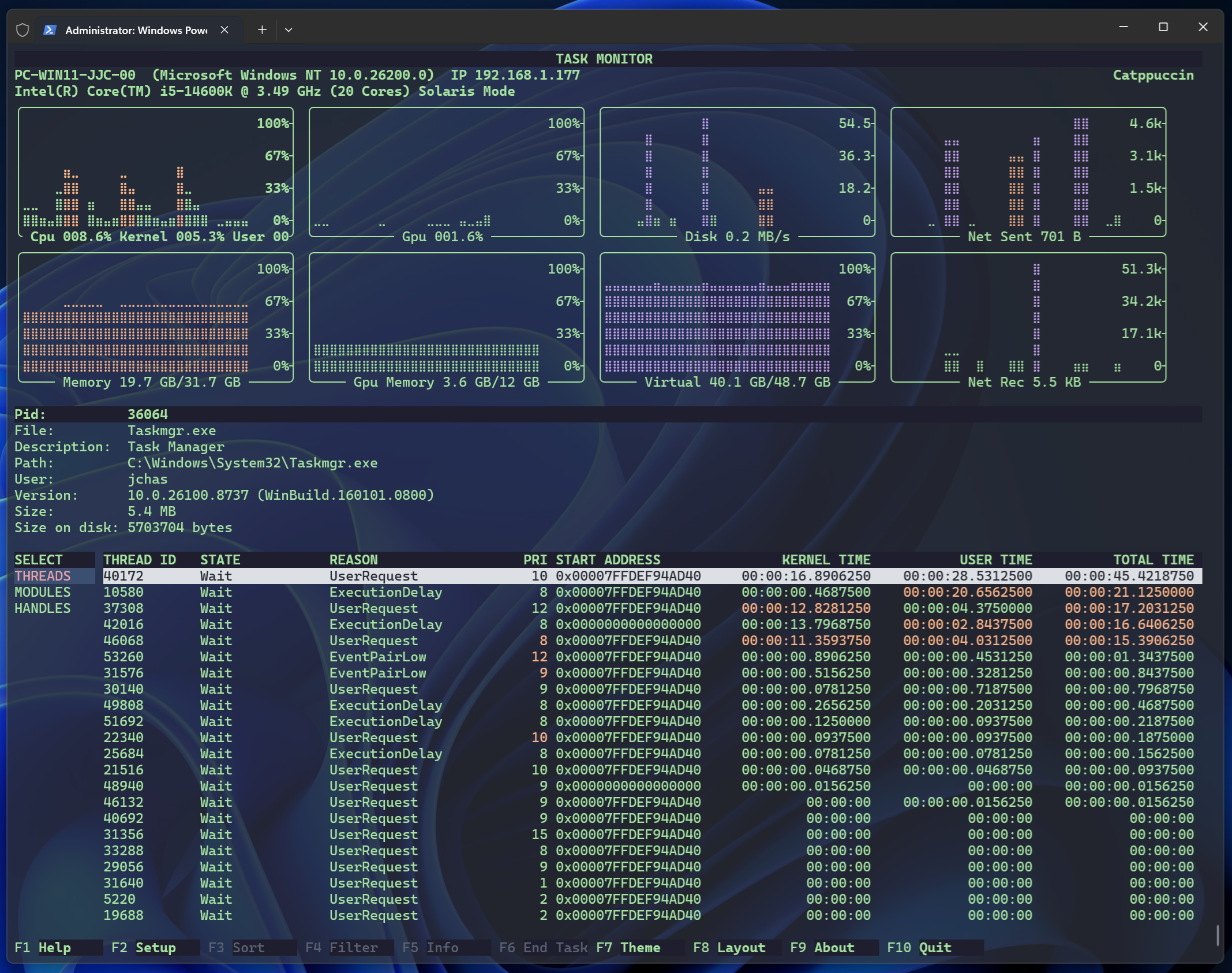
Process information monitoring at the thread level, with theme Catppuccin.
Features
A modern, powerful cross-platform terminal-based task monitor providing real-time monitoring and management of a computer's performance, active processes, and resource utilization. Perfect for Homelab and local LLM monitoring.
Originally inspired by tools like top, htop and the Windows Task Manager, it provides performance monitoring at-a-glance for system resources (including CPU, GPU, Memory, Swap, Disk and Network) and process management functions.
- Perfect for HomeLab and Local LLM monitoring
- No sudo or administrator privilege required
- Real-Time System Monitoring: Live updates of CPU, GPU, memory, swap, disk I/O and Network I/O.
- High resolution charts in 24-bit color.
- Switch layouts (F8) to focus charts on specific system metrics.
- Real-Time Process Monitoring: View Process, Pid, CPU%, Avg CPU%, Max CPU%, Threads, GPU%, Avg GPU%, Max GPU%, Memory, Avg Memory, Max Memory, Disk MB/s, Avg Disk MB/s, Max Disk MB/s and Command Path.
- Process list formatted similar to the original htop and top.
- Process CPU% defaults to Irix mode (individual core saturation) for *nix systems (i to toggle on/off).
- Process deep dive (F5) to view live thread times and loaded libraries (system and user).
- Module Analysis: Full dynamic and static library enumeration for selected process.
- Customize update interval (default 1500ms).
- Customize top number of processes to display (default unlimited).
- Customize number of process iteration loops.
- Freeze process list updates (f or z).
- Windows Services: Show service names and startup parameters, not just generic svchost.exe entries.
- Multiple process selection (x toggle show checkboxes, spacebar for selection, u to uncheck all selections)
- Select and terminate multiple processes simultaneously (F6).
- Filter by process name, username, command path or PID (F4).
- Sort the process list by any visible column (F3).
- Quick sort by CPU%, GPU% or Memory (p, g or m respectively).
- Toggle process sorting between ascending (using the a key) and descending (using the d key).
- Navigate scrollable lists using the ↓, ↑ arrow keys and Pg Up and Pg Down keys.
- Multiple Themes: Ships with dozens of popular, modern 24-bit color themes.
- Modern terminal detection to support color desaturation.
- Customize Configuration: Manage configuration settings using the (F2) Setup function. Interactive UI for modifying and saving settings.
- System profile: Display machine name, OS name and version, CPU name and clock speed, top resource consumers (Avg and Max) (using the F9 function).
Download Task Monitor
Free and open-source for macOS and Windows.
macOS
Homebrew Package Manager
brew tap jchas2/taskmon
brew install taskmon
Binaries + Source Code
Windows
Chocolatey Package Manager
choco install taskmon
Binaries + Source Code
All downloads are served from github.com or the nominated package manager.